Welcome!
表達式名稱
🎞 隨時間變化
🎲 抖動動畫
🔁 循環動畫
⌛ 延遲動畫
📍 鏈接其他圖層屬性
🎚 控制器連動
⚡ 線性值轉換
🌈 隨機值
🏆 常用 AE 表達式範例


Gumroad.com 優惠碼:Q5AAQYQ
Cgtrader.com 優惠碼:CA3F5A4DEBE3



說明
每秒增加值,可做自動旋轉、自動移動等
每秒 2 次抖動,最大偏移 30 單位(常用在 Position、Rotation)
循環播放已有關鍵影格(可改為 "pingpong" 來回擺動)
讓這個屬性延遲 0.5 秒跟著原值變化(可用來做拖尾感)
讓這個層跟著其他圖層的位置移動
連動滑桿控制器的值,可外掛控制多層
2 秒內從 0 變到 100,常用於漸變動畫
產生隨機數值,可用於隨機旋轉、透明度等
程式碼
time * 100
wiggle(頻率, 幅度)
loopOut("cycle")
valueAtTime(time - 0.5)
thisComp.layer("圖層名").transform.position
effect("控制名稱")("Slider")
linear(time, 0, 2, 0, 100)
random(0, 360)


當你搜尋「AE Expression」,會找到許多相關教程和文章。雖然這些教程能讓你快速套用到專案中,但要真正掌握Expression,還是需要了解其背後的原理。
什麼是Expression呢?Expression(表達式)能在圖層屬性和關鍵影格之間建立關聯,讓動畫師不需要逐一設定關鍵影格就能創造流暢的動畫效果。由於Expression是基於JavaScript架構,只要掌握JavaScript基礎,就能輕鬆運用Expression。
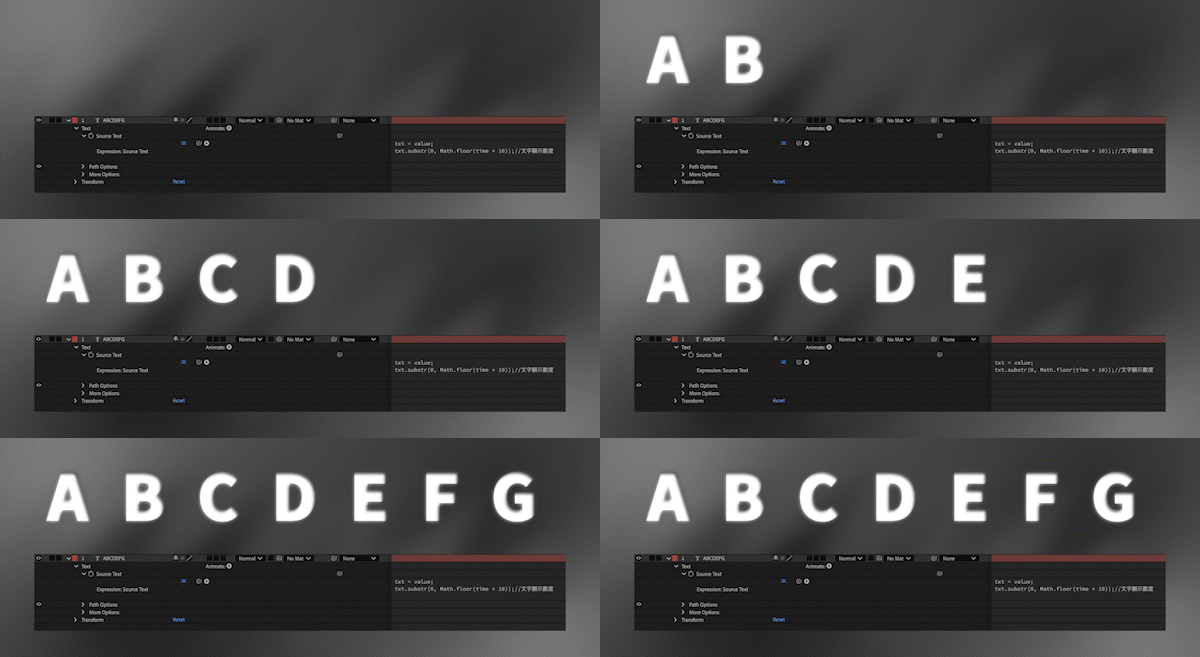
txt = value;
txt.substr(0, Math.floor(time * 10)); //文字顯示數度
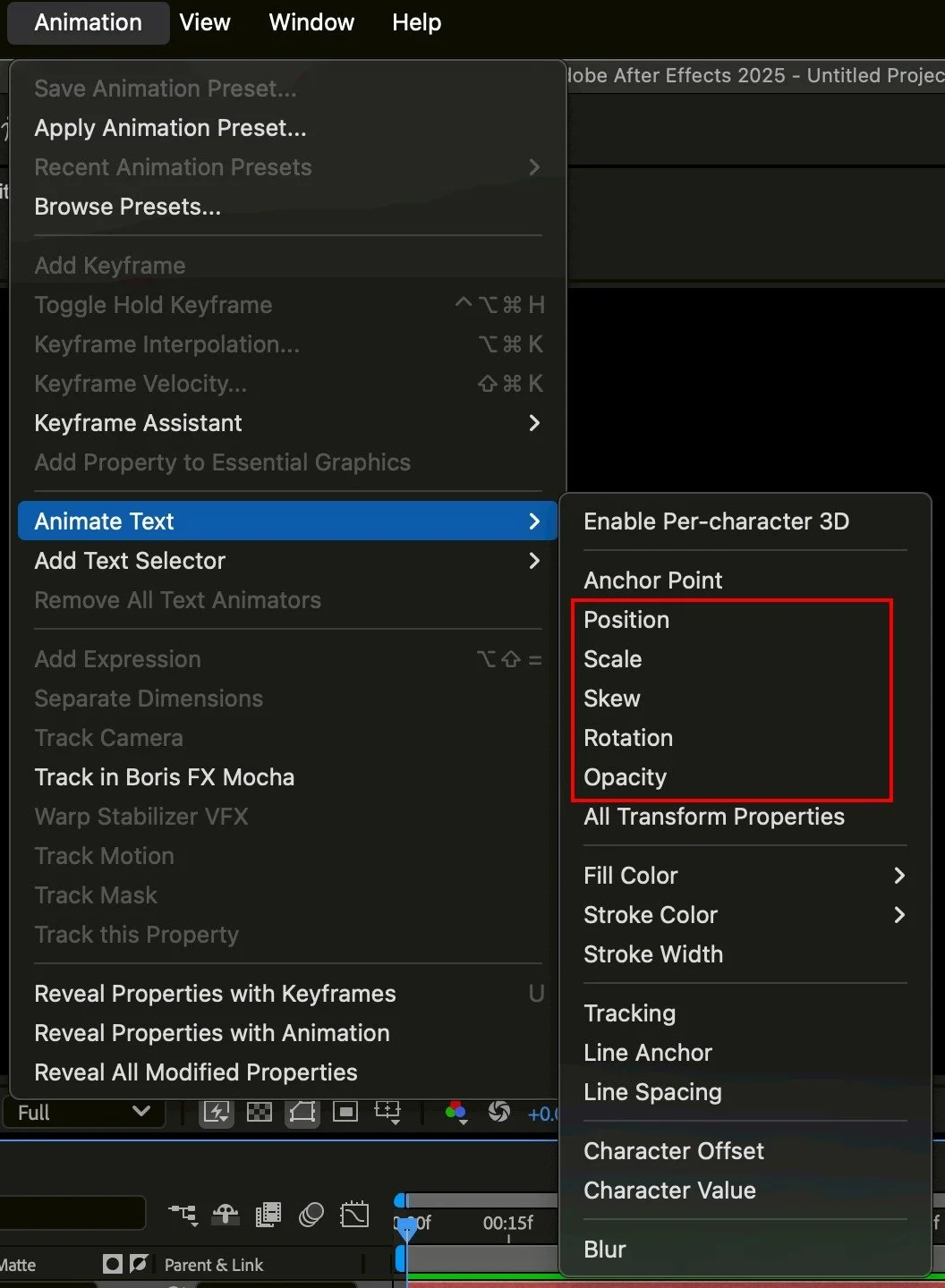
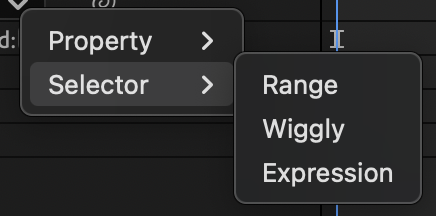
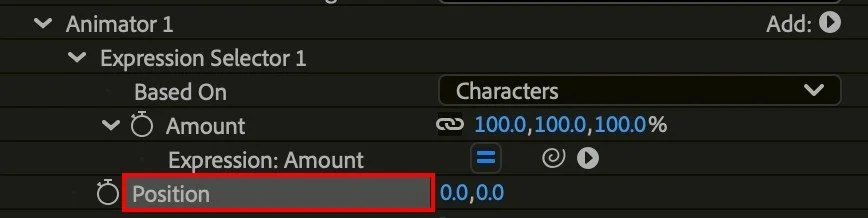
Animation > Animate > Position
Add > Selector > Expression

t = time - inPoint;  // 計算相對圖層出場時間
freq = 2;
amp = 20;
amp = linear(time, inPoint, inPoint + 3, 10, 0); // 3秒內漸穩
freq = 6;

x = Math.sin(time * freq + textIndex) * amp;
y = Math.cos(time * freq + textIndex) * amp;
[x, y]
Text>Source Test
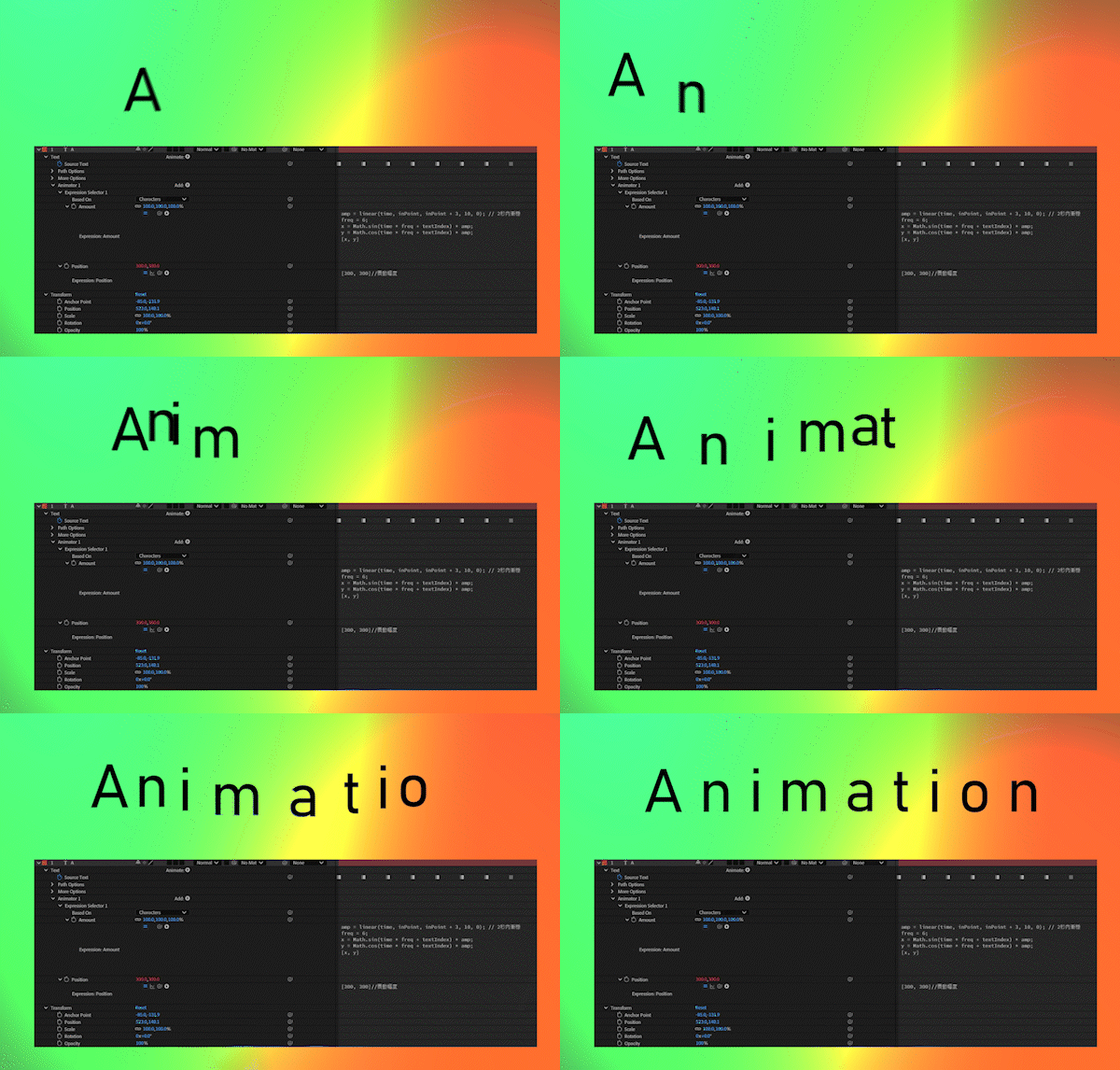
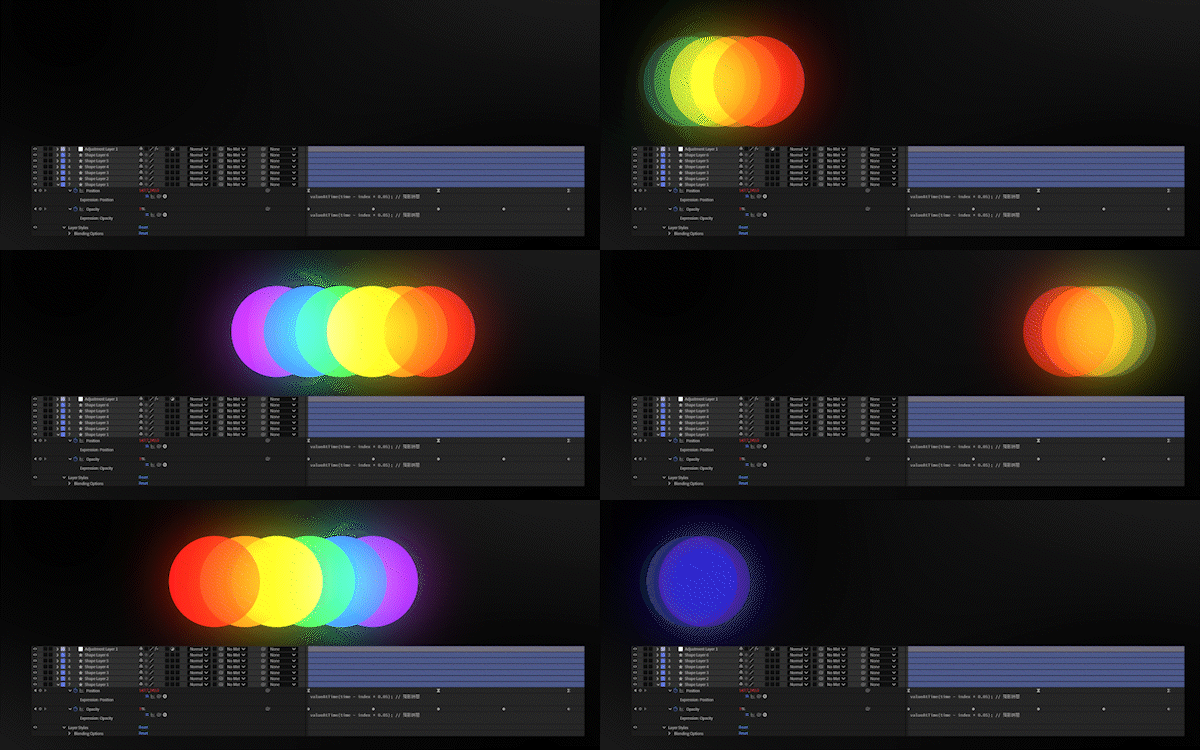
Text>Source Test
valueAtTime(time - index * 0.05);//殘影時間
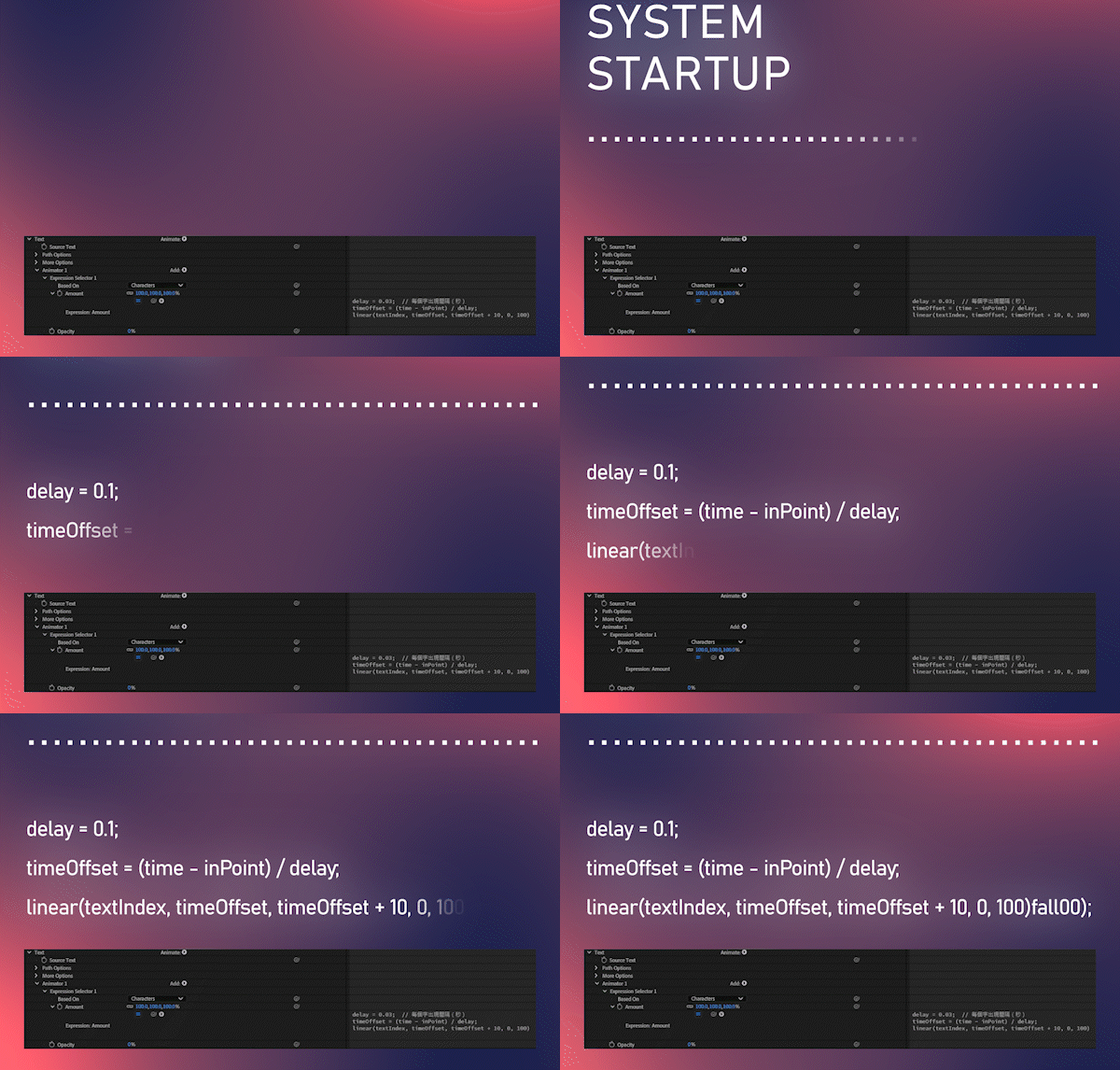
Animation > Animate > Opacity
delay = 0.1;  // 每個字出現間隔(秒)
timeOffset = (time - inPoint) / delay;
linear(textIndex, timeOffset, timeOffset + 1, 0, 100)//0~100過度時間
Add > Selector > Expression
t = time - inPoint;  // 計算相對圖層出場時間
delay = textIndex * 0.05;
start = 0;
end = 0.3;

easeVal = ease(time - delay, start, end, 100, 0);
[0, easeVal]
📎 After Effects Expression Table
(內容不定期持續更新)
-
frequency = 2; // 每秒擺動次數
amplitude = 40; // 擺動的像素數量
secondsToLoop = 3; // 循環時間(以秒為單位)
t = time % secondsToLoop;
wiggle1 = wiggle(frequency, amplitude, 1, 0.5, t);
wiggle2 = wiggle(frequency, amplitude, 1, 0.5, t - secondsToLoop);
linear(t, 0, secondsToLoop, wiggle1, wiggle2)
-
n = 0;
if (numKeys > 0){
n = nearestKey(time).index;
if (key(n).time > time){
n--;
}
}
if (n == 0){
t = 0;
}else{
t = time - key(n).time;
}
if (n > 0){
v = velocityAtTime(key(n).time - thisComp.frameDuration/10);
amp = 0.05;//控制彈跳的高度
freq = 2.0;//控制彈跳的速度
decay = 4.0;//控制彈跳的減速
value + v*amp*Math.sin(freq*t*2*Math.PI)/Math.exp(decay*t);
}else{
value;
}
-
s = linear(time, 0, 10, 100, 120);//0秒到10秒 從100放大到120
[s, s];
-
cycle = 3;// 每輪總長度(秒)
fadeIn = 0.8;// 淡入階段持續 0.8 秒
hold = 1.2;// 保持亮/縮放狀態 1.2 秒
fadeOut = 1.0;// 淡出階段持續 1 秒
delay = index * 0.3; // 每顆延遲 0.3 秒(依 index 順序)
t = time - delay;
if (t < 0){
s = 0;// 延遲階段,尚未進入動畫
}else if (t % cycle < fadeIn){
s = linear(t % cycle, 0, fadeIn, 0, 50);// 從0放大到50
}else if (t % cycle < fadeIn + hold){ s = 50;// 保持50大小
}else if (t % cycle < fadeIn + hold + fadeOut){
s = linear(t % cycle, fadeIn + hold, fadeIn + hold + fadeOut, 50, 0);// 從50縮小到0
}else{
s = 0;}[s, s];
-
nullPos = thisComp.layer("null").transform.position; //控制圖層的位置
objPos = transform.position;
maxDist = thisComp.layer("controller").effect("distance")("Slider"); //最大影響距離
strength = thisComp.layer("controller").effect("strength")("Slider"); //影響強度
dist = length(nullPos, objPos);
dir = normalize(objPos - nullPos);// 向 null 推開
moveAmount = strength * (1 - clamp(dist / maxDist, 0, 1));//計算要移動多少距離
newPos = objPos + dir * moveAmount;
newPos;
-
nullPos = thisComp.layer("null").transform.position;
objPos = transform.position;
maxDist = thisComp.layer("controller").effect("distance")("Slider");
dist = length(nullPos, objPos);
normDist = clamp(dist / maxDist, 0, 1);
// RGB 顏色
r = linear(normDist, 0, 1,0.318,0.949); // 紅色
g = linear(normDist, 0, 1,0.796,0.722); //綠色
b = linear(normDist, 0, 1,1.000,1.000); // 藍色
[r, g, b,1];
-
// 設置延遲時間(幀數)
var delay = 5;
// 根據該層的索引相對於父層的索引來計算延遲時間
var multiplyDelay = delay * (index - parent.index);
// 根據延遲時間偏移層的位置
parent.fromComp(toComp(anchorPoint, time - framesToTime(multiplyDelay)));
-
t = Math.floor(time);
min = Math.floor(t / 60);
sec = t % 60;
(min < 10 ? "0" + min : min) + ":" +
(sec < 10 ? "0" + sec : sec);
-
amp = 30; // 震幅
freq = 10; // 震動頻率
duration = 3; // 每段震動長度
decay = 1; // 衰減速度
startTimes = [2, 7,];//自訂震動開始時間點(可任意加)
totalOffset = [0, 0]; // 預設位置偏移為 0
for (i = 0; i < startTimes.length; i++){
t = time - startTimes[i];
if (t >= 0 && t <= duration){
decayFactor = Math.exp(-decay * t);
x = Math.sin(t freq 2 Math.PI) amp * decayFactor;
y = Math.cos(t freq 2 Math.PI) amp * decayFactor;
totalOffset += [x, y];
}
}
value + totalOffset;
-
cycle = 3;// 每輪總長度(秒)
delay = index * 0.3; // 每顆延遲 0.3 秒(依 index 順序)
seedRandom(index + Math.floor((time - index * 0.3) / cycle), true);x = random(0, thisComp.width);y = random(0, thisComp.height);[x, y];
-
cycle = 3;// 每輪總時間
delay = index * 0.3;// 每顆延遲 0.3 秒(依 index 順序)
t = time - delay;seedRandom(index + Math.floor(t / cycle), true);random(0, 360);
-
valueAtTime(time - index * 0.05);//殘影時間
-
time * 100 //每秒增加 100
🎛 AE Graph Editor 動畫曲線控制器
在 After Effects 裡,製作動畫中關鍵影格決定「物件動態」,但 Graph Editor 才決定「運動流暢曲線」。
它不是什麼高深功能,而是用來控制動畫速度變化的工具。
你可以調出「慢進快出」、「快速衝刺後煞車」或「彈性緩衝」的節奏,讓動畫不再機械式一速到底。
Graph Editor 有兩種模式:
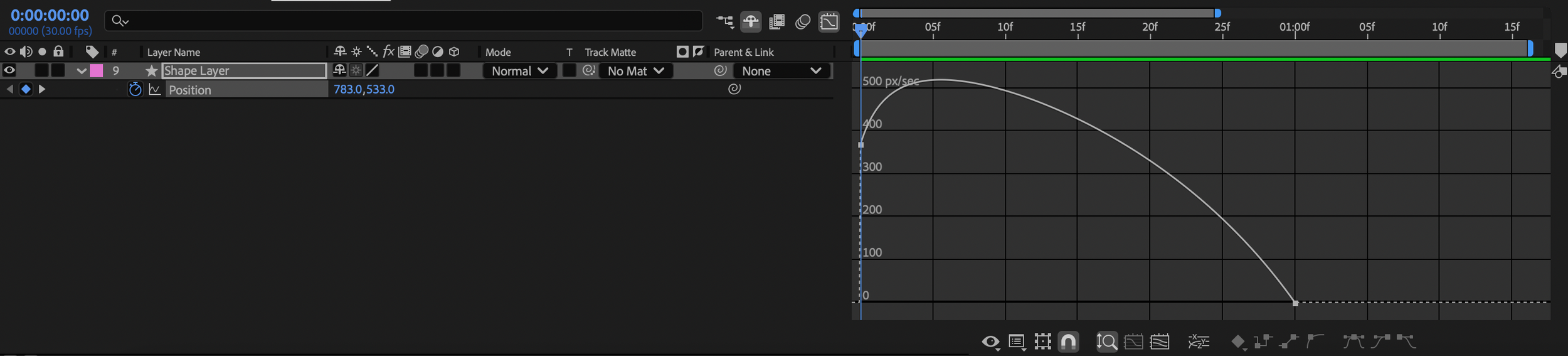
Speed Graph 控制快慢速度,適合調動態感。
Value Graph 控制數值曲線,適合調整移動或變形。
AE控制Graph Editor只要選取關鍵影格、按下曲線圖示,可以看到出現關鍵影格的曲線進行調整動畫。